{ "@context": "https://schema.org", "@type": "HowTo", "name": "How to automate requests to change working hours", "description": "Use this workflow to collect employee requests, validate them with AI, automatically generate compliant contract amendments, route documents for e-signatures, update payroll, and escalate exceptions to HR when manual review is required.", "step": [ { "@type": "HowToStep", "position": 1, "name": "Submit a working hours request", "text": "Employees complete an online form through the company portal, providing the requested working hours, effective date, and supporting information." }, { "@type": "HowToStep", "position": 2, "name": "Validate the request with AI", "text": "The AI checks that the requested date is valid, the new working hours fall within the allowed range, and the request differs from the employee's current schedule." }, { "@type": "HowToStep", "position": 3, "name": "Generate the contract amendment", "text": "For valid requests, the workflow automatically creates a branded contract appendix with the updated working hours." }, { "@type": "HowToStep", "position": 4, "name": "Collect digital signatures", "text": "The contract amendment is routed to both the manager and the employee for electronic signatures using your preferred e-signature platform." }, { "@type": "HowToStep", "position": 5, "name": "Update payroll records", "text": "After all signatures are completed, the workflow automatically updates the payroll system with the approved working hours." }, { "@type": "HowToStep", "position": 6, "name": "Handle exceptions", "text": "If the request fails validation, HR is notified to review, approve, modify, or reject the request manually." } ]
}
Oops! Something went wrong while submitting the form.
Take the hassle out of changing working hours with HR automation
Easily manage working hours requests with an automated system that ensures ACAS compliance, speeds up approvals, and keeps everyone informed with instant notifications.
How it works:
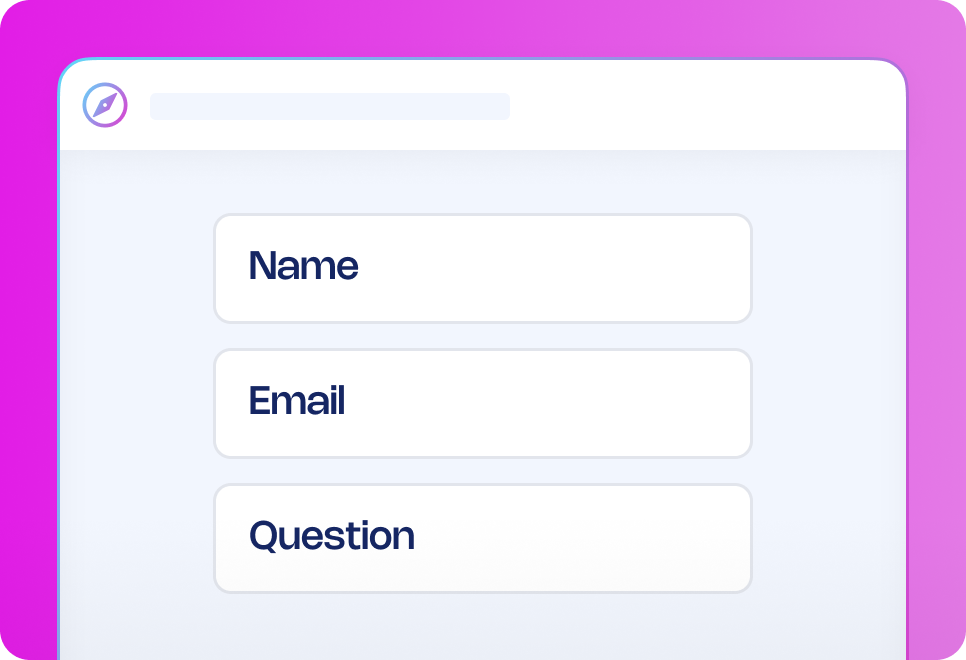
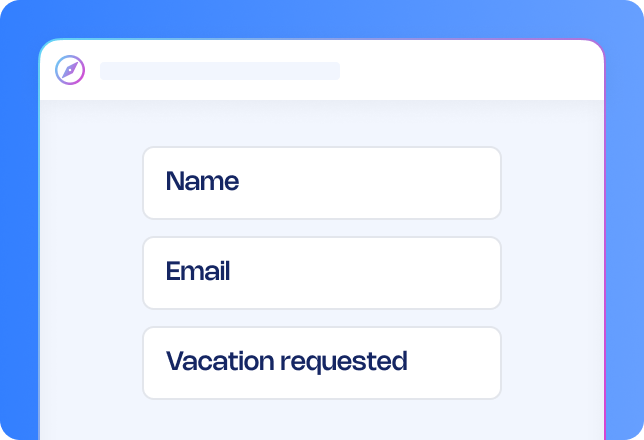
Submission: Employees complete an online form through the company portal, making it quick and easy to submit their working hours adjustment request.
AI validation: The system verifies that the selected date is valid, ensuring it is neither in the past nor more than six months into the future. It also checks that the requested working hours fall within the allowable range of 10% to 100% and that the new working hours differ from the employee’s current schedule.
Automated processing:
If valid, a preapproved contract appendix with company branding is automatically generated, ensuring consistency and compliance.
The document is routed for digital signatures from both the manager and employee, and can seamlessly integrate with your preferred e-signature platforms such as DocuSign or GetAccept.
Your payroll system is automatically updated upon signature.
Manual review (if required):
If errors are found, HR receives an email notification to review the request.
HR can manually approve, adjust, or reject the request.
Want to enhance your process?
Depending on the nature of the request, additional approval steps can be introduced. For instance, working from home requests may require different form fields compared to adjustments to specific working hours. Approvals can be routed to a manager for review or automatically approved based on company policies, ensuring a smooth and compliant process.
Why use this workflow template?
Save time: Reduce administrative burden by automating tedious tasks and approvals.
Reduce errors: Eliminate inconsistencies and ensure accuracy throughout the process.
Stay compliant: Automatically align with company policies and regulatory requirements.
Improve speed and efficiency: Process requests quickly, reducing delays and bottlenecks.
Keep everyone informed: Automated notifications ensure all stakeholders remain updated.
How it works
Submit incident reporting form
AI analysis
Quick communication
Investigation form
Report generation
Overview of cases
Submit incident reporting form
The person recording the incident fills out an incident reporting form that will automatically start the process, the form can be shared on the Journeys portal or any internal portal your company is already using.
Frequently asked questions
Can I customise the working hours request workflow to fit our process?
How can I share the request to change working hours form with managers?
Can I edit the AI prompt?
What types of workflow templates are available?
How can workflow automation improve my business?
How do I get started with workflow templates?
Recommended workflow automation templates
Looking for similar automation solutions? Explore these workflow templates to further optimise key processes so you and your team can quickly get approvals, reduce delays, and focus on high-value work that requires a human touch.





.avif)






.png)