{ "@context": "https://schema.org", "@type": "HowTo", "name": "How to automate incident reporting and management with AI", "description": "Use this workflow to collect incident reports, classify severity with AI, notify the right stakeholders, assign investigations, generate audit-ready documentation, and monitor all active cases.", "step": [ { "@type": "HowToStep", "position": 1, "name": "Submit an incident report", "text": "The person recording the incident completes a reporting form that automatically starts the workflow. The form can be shared through the Journeys portal or an existing internal company portal." }, { "@type": "HowToStep", "position": 2, "name": "Analyse the incident with AI", "text": "An AI agent analyses the report, identifies the incident type, determines its severity level, and creates a concise summary for the next stages of the process." }, { "@type": "HowToStep", "position": 3, "name": "Notify the appropriate stakeholders", "text": "The workflow uses the incident type and severity to send updates through the appropriate channels, including Teams, email, and SMS for high-severity or critical incidents." }, { "@type": "HowToStep", "position": 4, "name": "Assign the investigation", "text": "The central response team receives the incident summary and a unique investigation form to document the root cause, determine whether corrective and preventive action is required, and record the outcome." }, { "@type": "HowToStep", "position": 5, "name": "Generate the incident report", "text": "After the investigation is completed, the workflow compiles the key information into a report, converts it to PDF, and stores it in the organisation's file system for audits and case reviews." }, { "@type": "HowToStep", "position": 6, "name": "Monitor incident cases", "text": "Use the reporting table as a live dashboard to track incidents in progress, review completed cases, and see how previous incidents were resolved." } ]
}
Oops! Something went wrong while submitting the form.
Improve compliance and act faster when incidents happen
Incident reporting often involves emails, calls, or scattered documents, which makes it hard to ensure consistency, especially across locations. This template lets you unify the process: one form triggers the right workflow, AI classifies the incident, and the right people are alerted in real time. With automated investigation steps, documentation, and reporting, the entire process becomes transparent and traceable—helping you stay compliant and act fast when it matters most.
How it works:
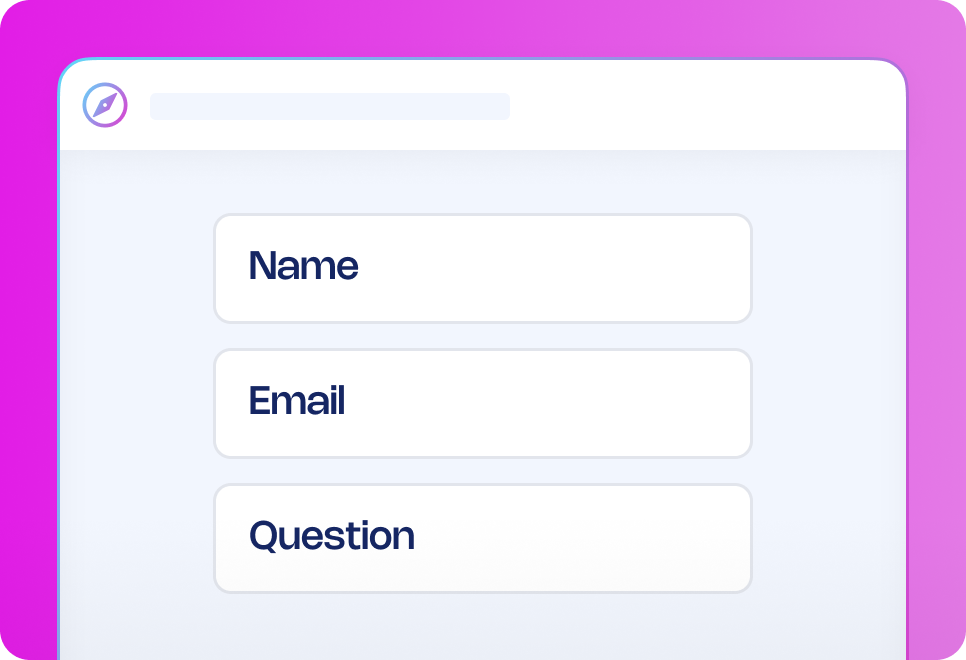
Submit incident reporting form: The person recording the incident fills out an incident reporting form that will automatically start the process, the form can be shared on the Journeys portal or any internal portal your company is already using.
Immediate analysis by AI: As soon as the form is submitted, the AI agent (which we named Vera) will analyse the incident report to determine the incident type (out of the options you give it in the standard prompt that is executed), the severity level of the incident and to create a short summary of the incident for communication purposes which takes place in the following steps.
Using the AI here to categorise the incident enables us to have a single source of entry for any kind of incident, and if we choose, we can funnel those incidents to separate processes or teams for further processing. Each decision is recorded and traceable as shown on the picture below.
Quick and effective communication: Since we used the AI to categorise the incident type and severity level we can communicate effectively on any communication channel to the appropriate stakeholders. In this template example we’ve configured that the central response team is notified via a designated channel on Teams, a summary report is also sent via email to selected stakeholders.
Additionally, if the severity is determined to be high or critical (which is the highest two levels on the severity scale which we fed to the AI via the prompt), the workflow will send a text message to designated receivers to immediately inform them of the high severity accident happening, so they’re informed just a minute after the incident is reported. In the example shown, the severity was ‘Moderate’ and thus the SMS action is not triggered but we can still see what the message would’ve looked like if the severity would’ve triggered the action via the condition being true.
An investigation form is assigned to the central response team: In this template we send an email to a central response team which has the responsibility to investigate the incident and determine if there is a need to create a CAPA to correct a systematic problem, or if a minor correction is required.
We can easily alter the workflow to have separate branches based on the indecent type, effectively assigned the task to different teams via different channels - meaning we could assign a form, like shown here, if the incident type is e.g. Workplace safety, but create a ticket in Jira and assign it to the cybersecurity team if the incident is related to cybersecurity.
The email itself includes a summary of the incident, and it includes a unique link to the form which the person assigned to the investigation can fill out to document the investigation.
The form itself is easily customisable, in this case we’re asking about root cause analysis and traceability to see if CAPA was created, or if not, a justification of why it wasn’t created for this case. The form has in-built conditions so depending on which option is selected, different fields will appear to capture additional information.
CAPA field, no selection:
CAPA field, “Yes” selected:
CAPA field, “No” selected:
Automatic report generation for documentation: After the investigation is completed, the template will automatically compile a report of all key information, convert it to PDF and log it in your file vaults to make sure it’s there easily accessible when it comes to an audit or case reviews.
Overview of all cases in progress: In the reporting table you can customise what information you want to keep track of for all incidents that are in progress, enabling your process team to have a live dashboard of all cases that are in progress, or to review older cases and how they were resolved.
Want to enhance your process?
Customise the AI prompt so it has your incident types, policy and severity scales. Ask it to generate additional outputs like data tagging to enable in-depth data analysis on each incident case.
Build in your communication protocols, make sure that appropriate stakeholders are informed at the right time (and immediately if required) through the right channels.
Adjust to accommodate different processes between teams or locations - e.g. have different branches and workflows for different incident types or locations.
Why use this workflow template?
Simplify incident reporting for your team by creating a single form to trigger the incident management process and then use the AI to categorise and determine severity which then can be used to automatically route cases to the appropriate paths in the process, or trigger different actions.
Improve transparency and traceability into incident cases.
Make sure appropriate stakeholders are informed of incidents as soon as they occur.
Automatically document the whole process and log into your file systems for case reviews and audits at a later time.
How it works
Submit incident reporting form
AI analysis
Quick communication
Investigation form
Report generation
Overview of cases
Submit incident reporting form
The person recording the incident fills out an incident reporting form that will automatically start the process, the form can be shared on the Journeys portal or any internal portal your company is already using.
Frequently asked questions
Can I customise the incident reporting workflow to fit our process?
How can I share the incident reporting form with employees?
Can I edit the AI prompt, and how easy is it?
Why use AI in this workflow?
How can workflow automation improve my business?
How do I get started with workflow templates?
Recommended workflow automation templates
Looking for similar automation solutions? Explore these workflow templates to further optimise key processes so you and your team can quickly get approvals, reduce delays, and focus on high-value work that requires a human touch.




.png)


.avif)






.png)